
Most employers think you can post a job on Google the same way you post on a job board. You can’t.
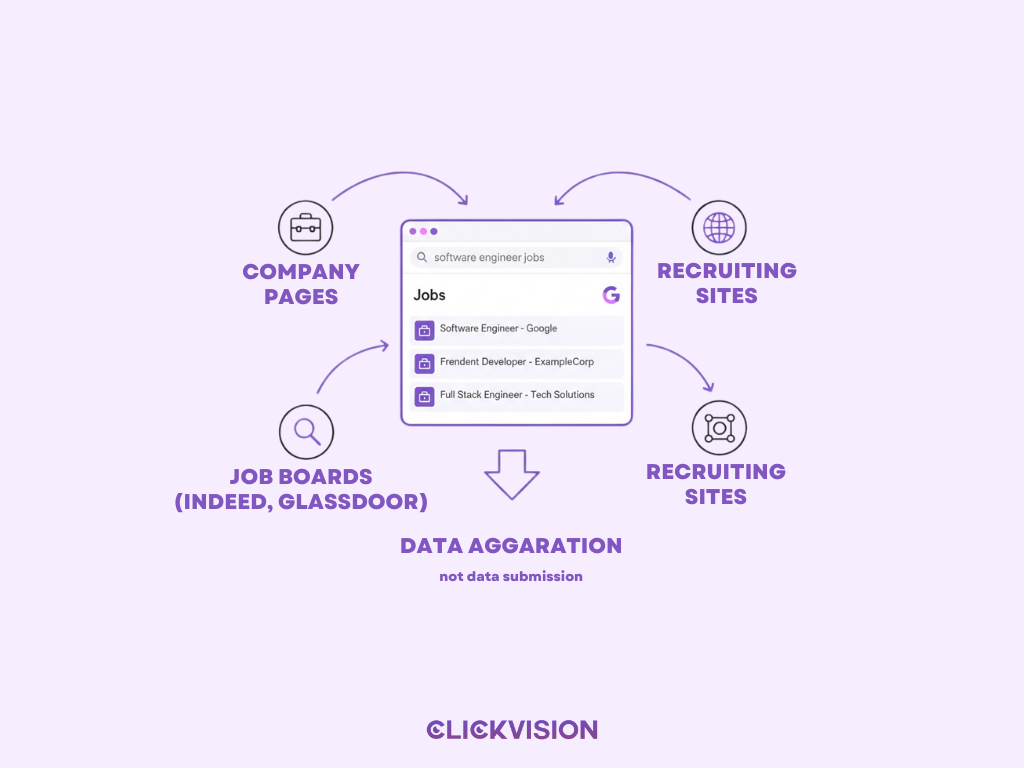
Google for Jobs is not a job board. It’s a search experience that aggregates job listings from across the web and surfaces only those that meet strict technical and content requirements.
That distinction matters — because employers who treat Google Jobs like a traditional posting channel often disappear from results without warning.
In this guide, you’ll learn:
- What Google for Jobs really is (and how it works)
- The two legitimate ways to get your jobs indexed
- How to optimize job listings so Google actually shows them
- Why jobs vanish — and how to prevent it
- A future-proof framework that outperforms outdated advice
This is not recycled marketing content. It’s a compliance-first, SEO-driven playbook designed to help your jobs stay visible, not just appear once.
If you want this implemented correctly rather than guessed at, our Google for Jobs SEO service quietly handles the technical compliance and optimization that keeps listings indexed, visible, and stable over time.
1. What Is Google for Jobs—and How It Really Works
Google for Jobs is a dedicated job search interface embedded directly in Google Search. When someone searches phrases like “software engineer jobs near me”, Google displays a Jobs box with filters for location, job type, company, salary, and more.
Behind the scenes, Google follows a strict pipeline:
Crawling → Parsing → Entity Matching → Deduplication → Eligibility Filtering
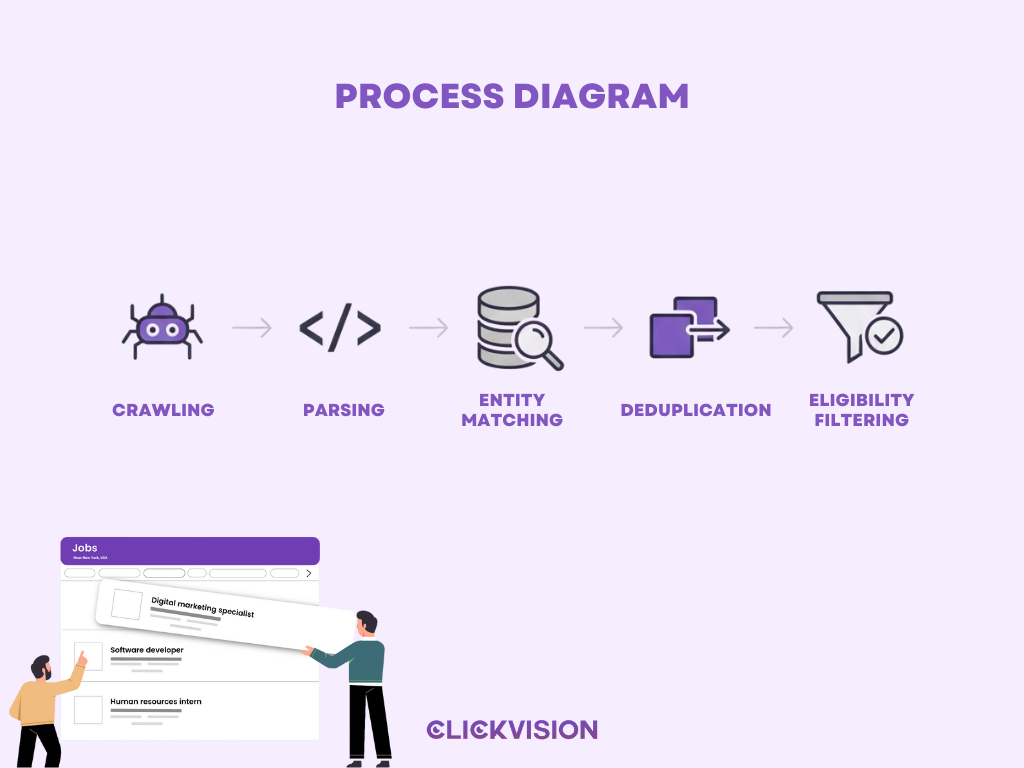
You don’t submit jobs to Google.
You make your jobs eligible to be surfaced.
What Google Requires for Eligibility
To appear in Google Jobs, every listing must have:
- A unique, indexable URL per job
- Valid JobPosting structured data
- Visible content that matches the structured data exactly
- An active application method
- Accurate freshness signals (especially datePosted and validThrough)
If any of these break, your job may be excluded—or worse, your entire domain may lose trust.
2. The Two Legitimate Ways to Post Jobs on Google Jobs
There are only two ways to get jobs into Google for Jobs. Everything else is noise.
3. Method #1: Posting a Job on Google via Integrated Job Boards (Fastest)
Many large job boards automatically syndicate listings to Google for Jobs.
Common examples include:
- Indeed
- ZipRecruiter
- Glassdoor
- Monster
How This Method Works
- You post a job on the board
- The board adds JobPosting schema
- Google crawls and deduplicates the listing
- Your job appears in Google Jobs (often within 24–48 hours)
When This Method Makes Sense
- Small teams without technical resources
- Employers hiring occasionally
- Organizations relying heavily on third-party boards
Limitations You Should Know
- Less control over schema accuracy
- Slower removal of expired jobs
- Duplicate listings across boards can reduce visibility
- You don’t own the canonical job source
This method is convenient—but fragile at scale.
4. Method #2: How to Post a Job on Google Jobs Through Your Website (Best Control)
If you want long-term visibility, direct integration through your careers site is the gold standard.
Technical Requirements
Your website must have:
- One dedicated URL per job
- Pages accessible without login
- Content that renders to Googlebot (no JS-only jobs)
- JobPosting structured data embedded in the page

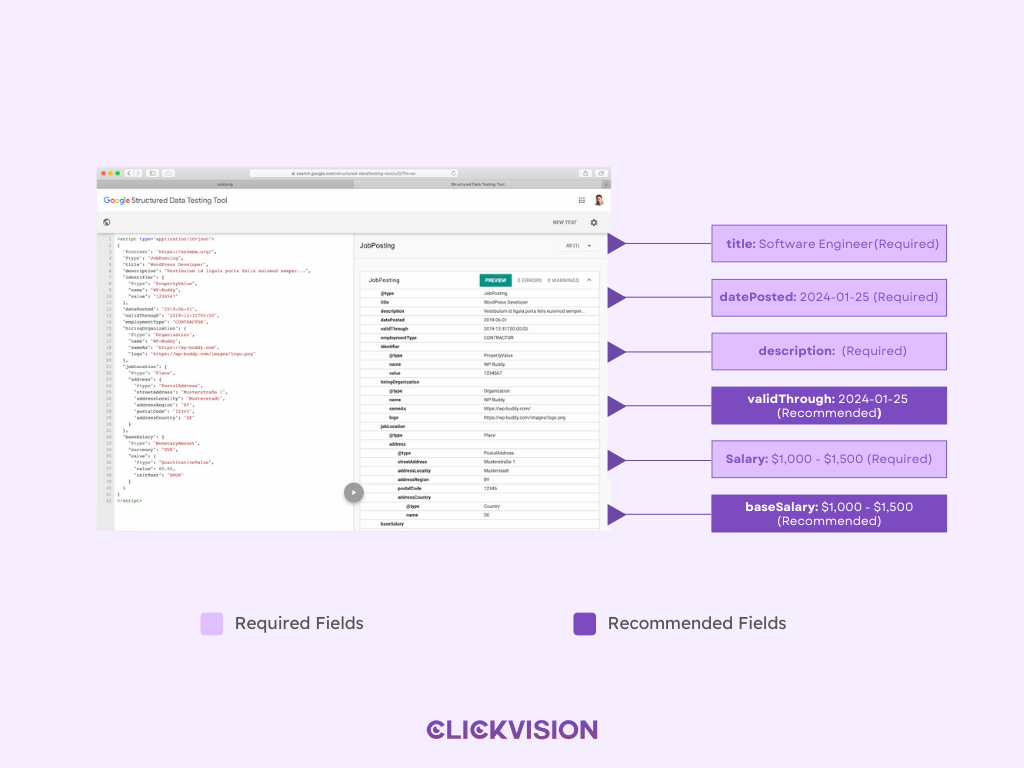
Required JobPosting Schema Fields
At minimum, Google expects:
- title – the actual job title (no branding fluff)
- description – full job description in HTML
- datePosted
- hiringOrganization
- jobLocation (or remote configuration)
Recommended Fields That Improve Visibility
While optional, these strongly impact performance:
- validThrough (crucial for compliance)
- baseSalary (boosts click-through rate)
- employmentType
- directApply
- jobLocationType + applicantLocationRequirements for remote roles
5. How Google Finds and Indexes Your Job Listings Faster
Publishing alone isn’t enough. You must signal changes clearly.
Best Crawl Acceleration Methods
- Indexing API – fastest way to notify Google of new, updated, or removed jobs
- XML Sitemaps – good for coverage, slow for freshness
- Search Console URL Inspection – spot checks and validation
Google explicitly recommends the Indexing API for job postings because jobs are time-sensitive.
6. How to Optimize Job Listings So Google Actually Surfaces Them
Eligibility gets you in. Optimization gets you seen.
Use Clear, Search-Aligned Job Titles
Bad: “Marketing Ninja”
Good: “Digital Marketing Manager”
Google matches titles to user intent—not creativity.
Write Complete, Unique Job Descriptions
- Avoid copy-paste templates
- Include responsibilities, qualifications, schedule, and benefits
- Format with <p> and <ul> for readability (humans, not ranking)
Salary Transparency Matters
Google confirms that jobs with salary information receive higher engagement. While not mandatory, transparent ranges:
- Increase CTR
- Improve candidate quality
- Reduce mismatch filtering
Be Precise About Location & Remote Status
Remote rules are strict:
- Use TELECOMMUTE only for 100% remote roles
- Hybrid ≠ remote
- Always specify eligible countries or regions
Strengthen Employer Signals
- Consistent company name
- Accurate logo via hiringOrganization
- Strong employer reputation across the web
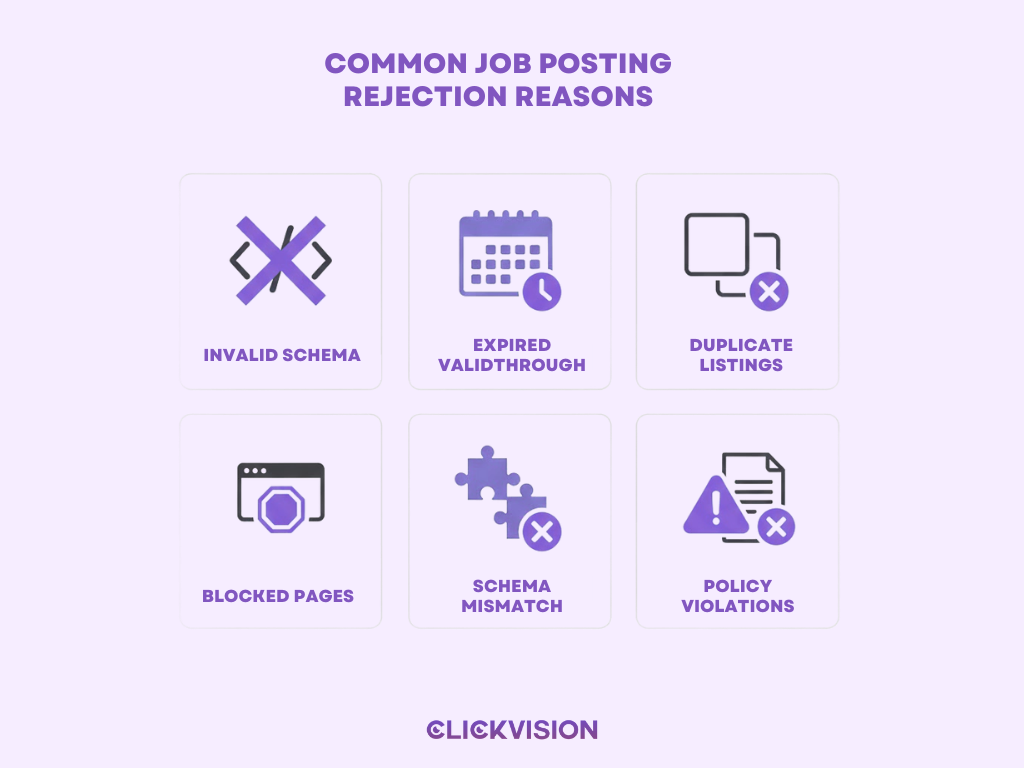
7. Common Reasons Jobs Don’t Appear on Google Jobs
If your job isn’t showing, it’s usually one of these:
- Missing or invalid structured data
- Expired validThrough date
- Duplicate listings across multiple sources
- Pages blocked by robots.txt or noindex
- Mismatch between schema and visible content
- Violations of Google’s job posting policies
8. When to Consider Professional Google Jobs SEO Support
You should consider expert help if:
- You post jobs at scale or across many locations
- You rely on ATS feeds that drift from page content
- Your jobs get impressions but no clicks
- Listings appear briefly, then disappear
- Manual actions appear in Search Console
Google for Jobs is not set-and-forget. It’s infrastructure.
Conclusion: You Don’t Post Jobs on Google—You Earn Eligibility
To succeed on Google Jobs, employers need to stop asking how do I post a job on Google and start understanding how Google evaluates job data in the first place. Visibility isn’t granted through submission — it’s earned through accuracy, structure, and trust signals that meet Google’s eligibility requirements.
When your job listings are consistently structured, properly marked up, and aligned with search intent, Google treats them as reliable data sources rather than disposable listings. The result is sustained exposure to high-intent candidates without relying on paid job boards or constant manual posting.
Google Jobs rewards systems, not shortcuts. Build for eligibility, and visibility follows.